Text highlights along with the voice, and your SRT/VTT subtitles come free
A “Show text” button: each word lights up as it's spoken, and clicking a word jumps the audio there. The same timing produces your SRT or VTT subtitles, at no extra cost.
Listening is great. But on the train without earbuds, for a hard-of-hearing reader, or to check a quote, you need the text, aligned to the voice. And video subtitles are usually redone by hand.
Text highlights along with the voice, and your SRT/VTT subtitles come free
Turn on “Show text”
One setting per site. Articles generated afterwards show the synced transcript under the player.
The word lights up, the click navigates
Each word highlights the instant it's said. Click a word: the audio jumps there. Accessibility and comfort in one.
Grab the subtitles
The same word-level timing exports SRT or VTT files ready for your videos, with no new generation and no extra cost.
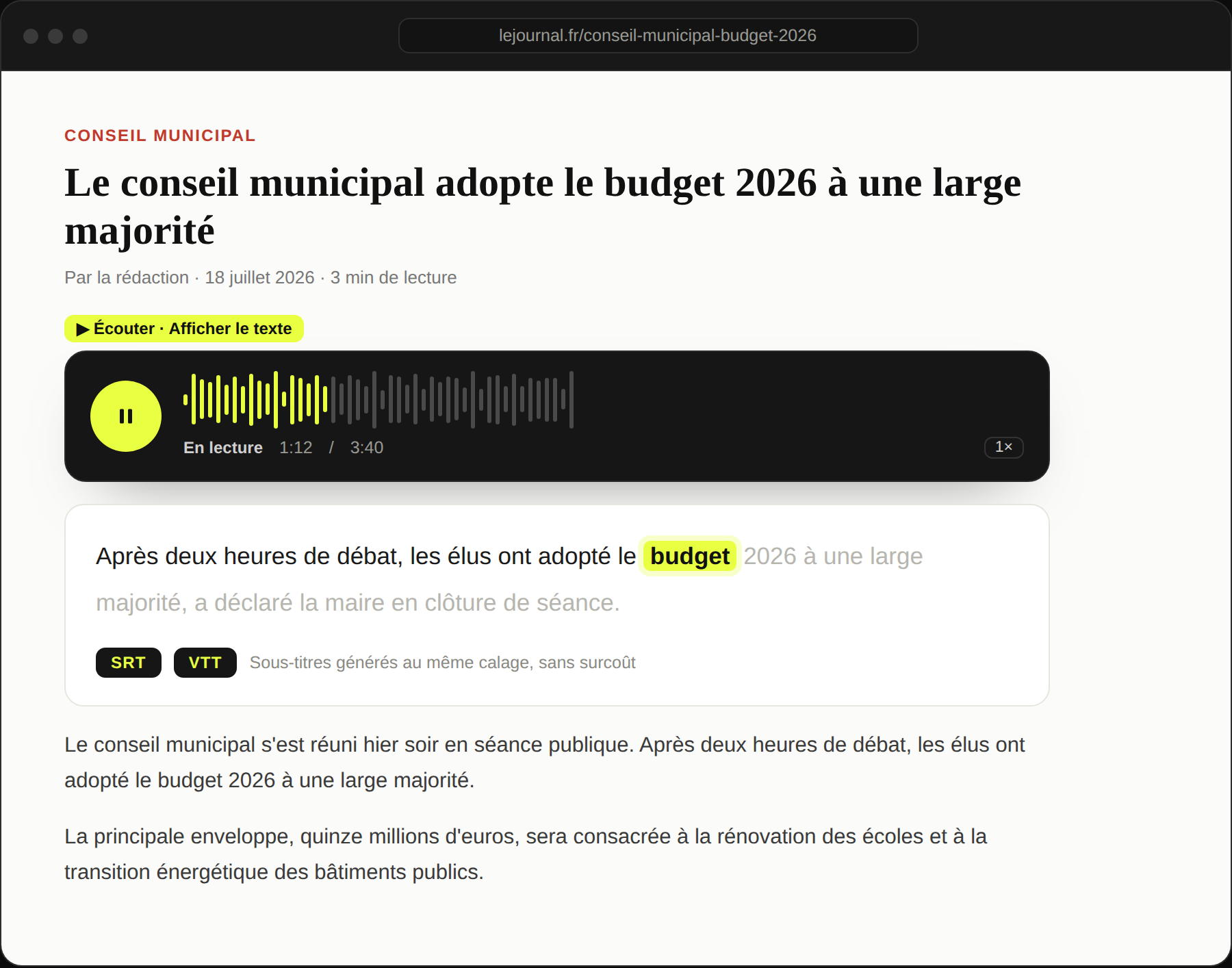
Word-by-word highlight
The text follows the voice in real time. Great in noisy or silent settings, and for guided reading.
Navigate by the text
Click a word to place the audio to the second. Reading and listening become one.
SRT/VTT subtitles free
The timing serves twice: on screen, and as a subtitle file for your own edits.
Accessibility
Dyslexia, low vision, deafness: synced text widens your audience and helps with accessibility compliance.
Accessibility-minded media, newsrooms that also do video, and anyone whose audience reads as much as it listens.
Ready to give your articles a voice?
Book a 30-minute demo: we set WeDispatch up with you, no complex setup.
How do I enable synced text?
Via a setting in the client area → Player. Articles generated afterwards get it automatically.
Do subtitles cost extra?
No. They reuse the word-level timestamps already produced at generation. You export SRT or VTT with no new synthesis.
Is it good for accessibility?
Yes. Synced text helps dyslexic, low-vision and hard-of-hearing people, and supports your site's accessibility compliance.
Where do I get the files?
Via the API (a /subtitles URL per article) or the client area. SRT and VTT formats, compatible with the vast majority of video players.